Talk.
It types.
Hold one key, say what you mean, let go. Clean, punctuated text appears wherever your cursor is — in any app, on your own PC, with nothing sent anywhere.
Free and open source · Windows 10 & 11 · Works offline · 437 MB, speech engine included
The Flow Bar
One small bar.
Colour only when it’s listening.
It is the only part of OpenVoice you see while you work, so it looks the same over everything — a white document, a dark editor, a photo — in every theme.
Quarterly review
I’ve summarised the three points that came up in the meeting and flagged the one that needs a decision before Friday. Let me know if you would like the underlying figures as well.
The real component from the app, running in your browser. The voice is a demo; try your own.Listening. Colour arrives the moment the microphone opens, and your voice lights the glass from inside.
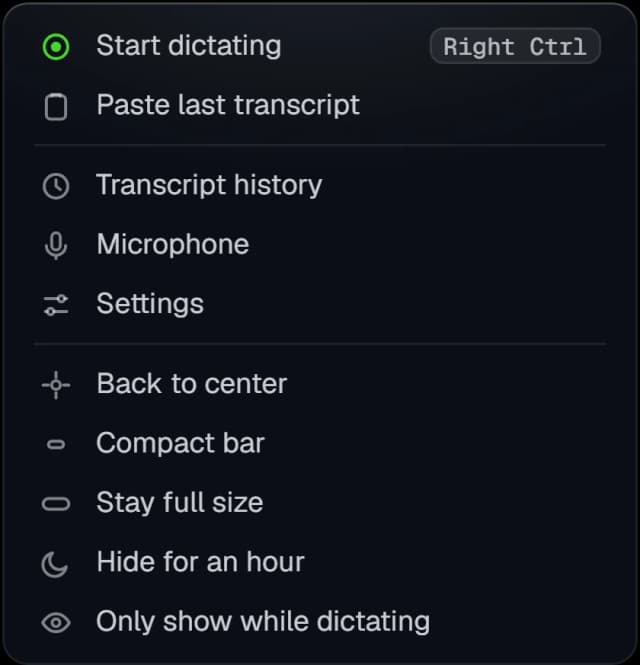
Right-click it
Paste your last dictation again, switch microphone, make the bar compact, or hide it for an hour. Every row has an icon and your shortcut sits beside Start dictating.
Out of your way
Drag it anywhere, dock it to the side of your screen, or shrink it to a sliver. It never takes focus, so your cursor stays exactly where you left it.
The tidy-up
You talk like a person.
It writes like an editor.
Speech recognition gets your words right and your writing wrong. OpenVoice drops the ums, turns “comma” and “new line” into the real thing, spells the names it knows — and formats for the app you're in.
um so we need to call use effect here comma then return null
it typedSo we need to call useEffect here, then return null
- “um” removed
- “comma” became ,
- use effect → useEffect
uh can you send me the jason export from this morning question mark
Can you send me the JSON export from this morning?
- “uh” removed
- jason → JSON
- “question mark” became ?
cube control get pods
kubectl get pods
- cube control → kubectl
- no capital, no full stop: it runs
Every rule is plain code with tests, not a second AI guessing at your meaning. See how it works
Three themes, light and dark
Make it yours. This page too.
Glacier, Graphite and Lagoon, each in light and dark, or following Windows. Pick one here and the whole site changes with it — exactly as the app does in Settings.
Glacier. Cool frosted glass over teal and blue. The default.
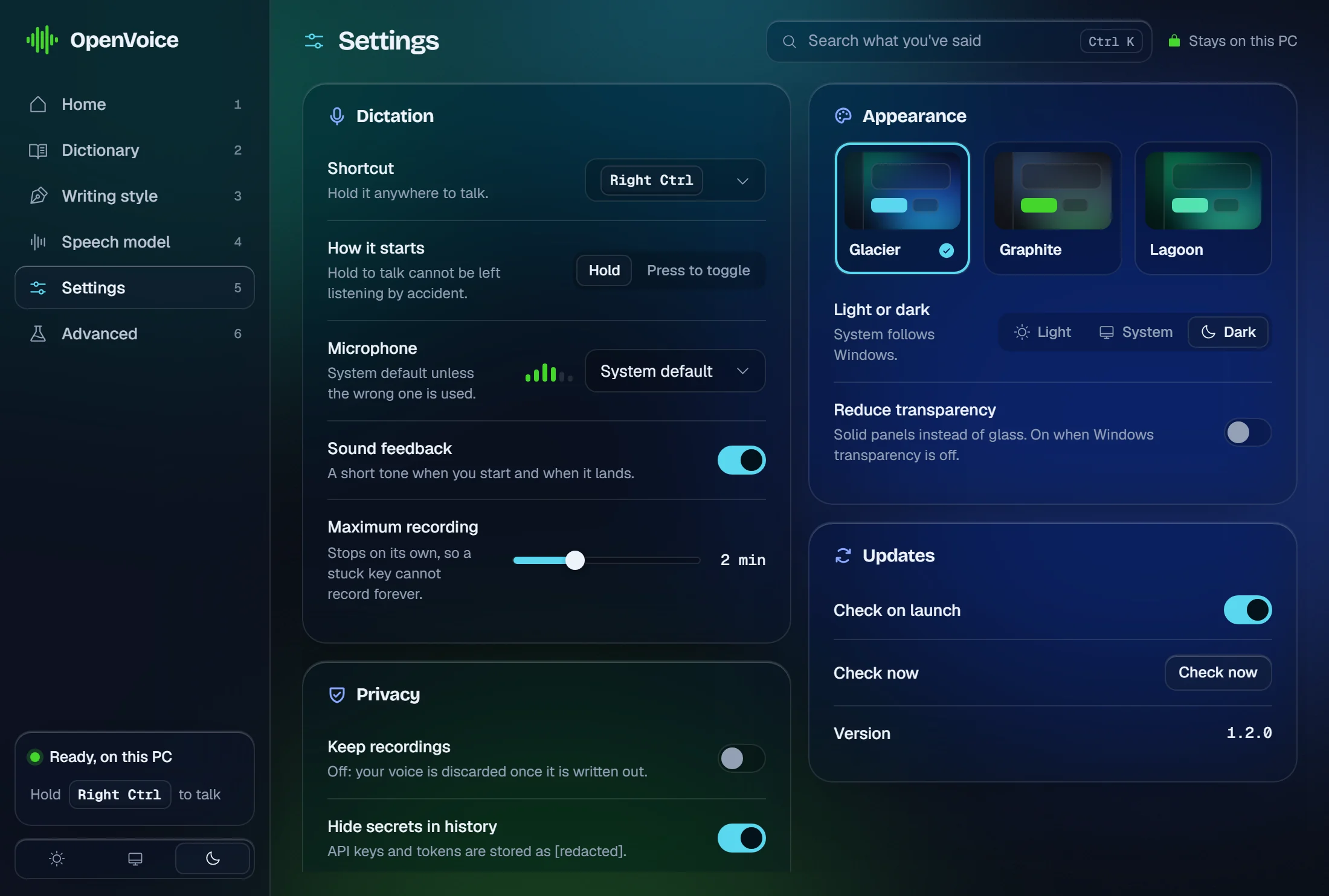
Swipe to see the whole window.
The app
A calm window you open when you need it.
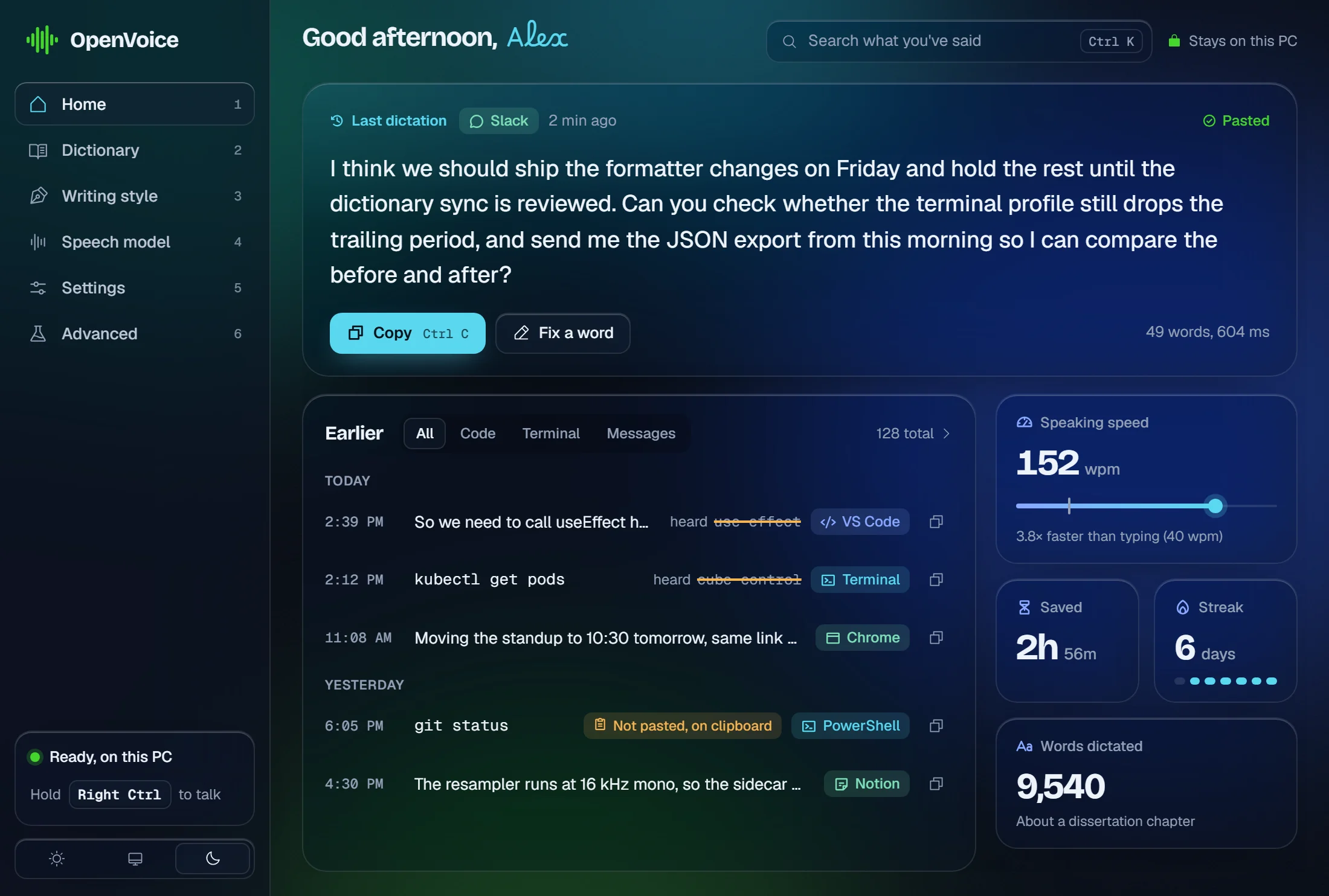
The bar does the work. The Hub is where you look back, fix a word, or change how things are written.
Swipe to see the whole window.
Your last paragraph, one click away
Home opens on the last thing you said, with Copy and Fix a word, so the sentence that went to the wrong window is never lost. Below it: everything else, by day and by app, searchable with Ctrl K.
Showing Glacier, dark. Change it in Themes.
Faster than your fingers
150wpm
how fast most people speak
40wpm
how fast most people type
3.8×
more words in the same minute
No waiting
0.24s
from letting go of the key to words on screen, for a short dictation
Measured on the reference laptop (RTX 3050 Laptop (4 GB VRAM), Ryzen 5 6600H), decoding on the CPU: no graphics card needed.
Private by design
What you say stays on your computer.
The speech engine ships inside the installer and runs on your PC. Your voice is never uploaded, never stored on a server, and never used to train anything.
Works offline
On a plane, on a train, with the Wi-Fi off. Nothing to connect to.
No account
No email, no password, no sign-up screen. Install it and talk.
Your history, your file
A plain file on your PC that you can open, copy or delete.
Checked, not promised
A test fails the build if any part that hears you could reach the internet.
It goes online for two things only: a voice model you ask it to download, and a check for updates — on by default, one request with no identifier, and you can switch it off. The full privacy notice
Open source
Free. For everyone. For good.
No trial, no paid plan, no ads. OpenVoice is built in the open under the Apache-2.0 licence, and free to use at home, at school or at work.
Questions
Before you try it.
Everything people usually ask first.
- Yes. There's no trial, no paid plan and no limit on how much you can dictate. OpenVoice is open source, and there is no paid version.
Give your keyboard a break.
Download OpenVoice and write your next email, message or essay just by talking.
Windows 10 & 11 · No sign-up · Works offline · 437 MB, speech engine included